Help center
Find answers below, or contact our team.
Video guides
Each video answers one question in under a minute, with a calm voice guide and large subtitles.
Finding the right document
I am not sure which document I need.
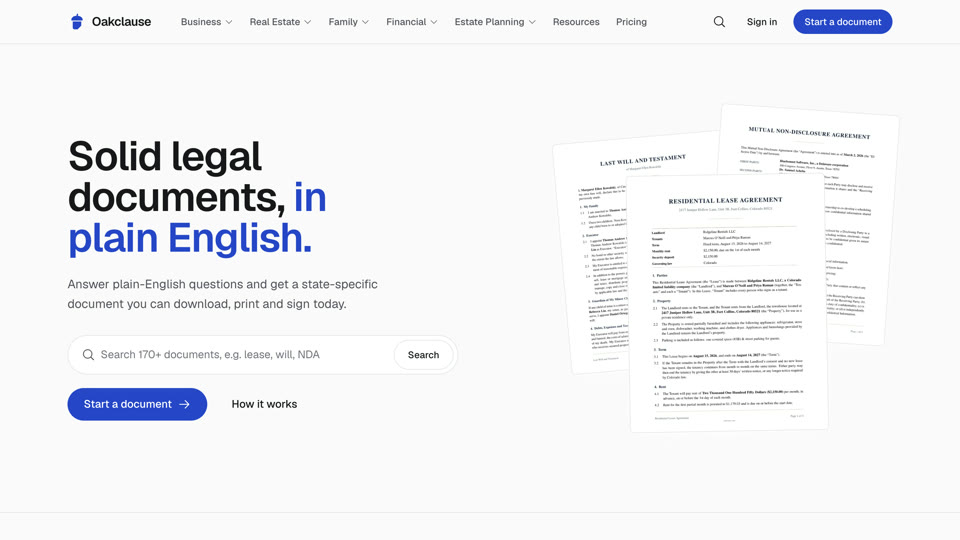
Start with the topic pages, such as Landlords, Employment or Plan your estate. Each one explains the situation and lists the documents people in it usually need. You can also search by everyday words, for example "rent" or "loan".
Watch the 53-second videoCan I see every document you offer?
Yes. The All documents page lists every document from A to Z and can be filtered by category.
Watch the 41-second videoWhat is the difference between similar documents?
Each document page has a section explaining when to use it and lists related documents. For example, a lease amendment changes an existing lease, while a new lease replaces it.
Watch the 53-second videoYou do not have the document I need.
Tell us through the contact page. We prioritize new templates based on requests. If your situation is unusual, a lawyer may be the better route.
Watch the 55-second videoCreating documents
How do I start a document?
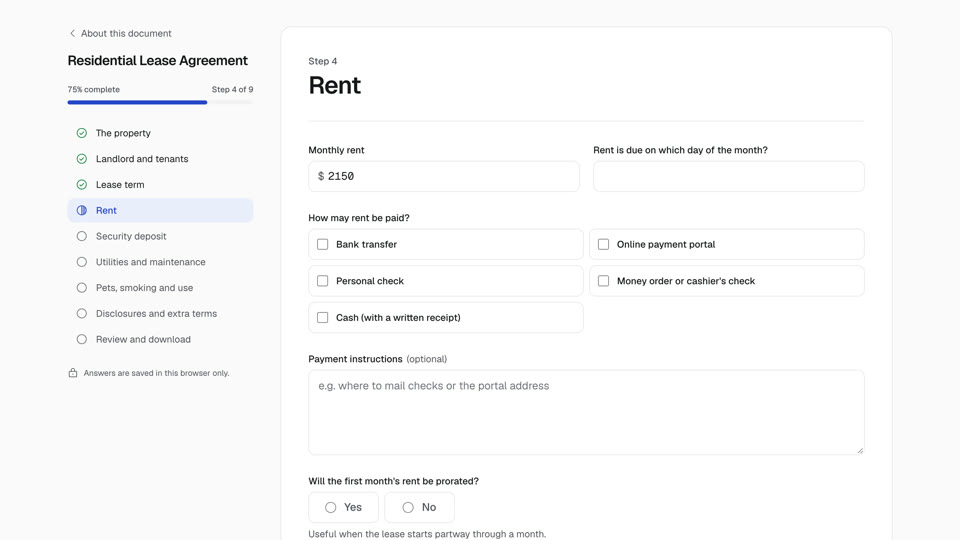
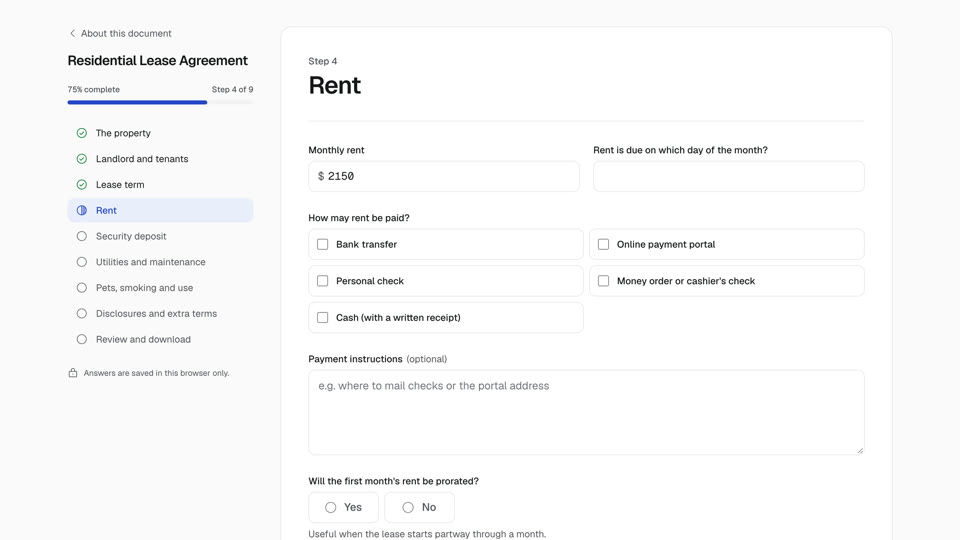
Find the document using search or the category menus, then select Create document. Answer each section and select Save and continue to move forward.
Watch the 47-second videoWhere are my answers saved?
While you work, in your browser on the device you are using. When you sign in and download the final PDF, your answers and the PDF are saved to your account, so you can download it again from any device.
Watch the 46-second videoWhy do some questions appear and disappear?
Questions only appear when they apply to you. For example, pet questions appear only if you allow pets. Hidden answers are not used in your document.
Watch the 38-second videoWhy is a document marked Coming soon?
We are still building the questionnaire for that document. Its page explains what it is, and related documents are available now.
Previewing and downloading
How do I preview my document?
Select Preview document at any step. The preview is marked DRAFT and may leave blanks for questions you have not answered yet.
Watch the 31-second videoMy preview does not appear on my phone.
Some mobile browsers cannot show PDFs inside a page. Use the Open the PDF link in the preview window.
Watch the 45-second videoWhat format is the final document?
A print-ready PDF with numbered pages, signature blocks and, where needed, witness and notary sections.
Watch the 44-second videoCan I edit the PDF?
We recommend changing your answers and downloading a new version instead, so the whole document stays consistent.
Watch the 56-second videoSigning and using documents
Do I need a notary?
It depends on the document and your state. Deeds, affidavits and many powers of attorney require notarization; most contracts and leases do not. The document includes a notary section when one is typically needed.
Watch the 53-second videoWho should sign first?
Order usually does not matter for contracts. For wills, the testator and witnesses must follow the signing steps described in the document.
Watch the 48-second videoShould I keep copies?
Yes. Give each party a signed copy and keep your original somewhere safe.
Watch the 39-second videoCan I sign electronically?
Many documents can be signed electronically under federal and state law, but wills, deeds and notarized documents often have extra requirements. Our documents are print-ready PDFs: print and sign on paper, or check the rules for your document before signing it another way.
Watch the 54-second videoDo I need to file my document anywhere?
Most agreements are simply kept by the parties. Some documents, such as deeds and articles of organization or incorporation, must be filed or recorded with a county or state office. The document's signing instructions say when that applies.
Watch the 51-second videoState-specific documents
Which state should I choose?
Usually the state where the property is located, where the work is performed or where you live. For contracts between parties in different states, choose the state whose law you want to govern the agreement and that you can both accept.
Watch the 42-second videoWhat changes when I pick a state?
State-specific documents use that state's law as the governing law, adjust the signing section (witnesses or notary) and add wording that defers to state requirements where rules vary, such as deposit limits or notice periods.
Watch the 53-second videoI moved to another state. Is my document still valid?
Contracts usually remain valid. Estate planning documents such as wills and powers of attorney are generally recognized across states, but it is sensible to review them after a move, since signing rules and terminology differ.
Watch the 54-second videoEstate planning
Where can I track my estate planning documents?
The estate planning dashboard shows which essentials you have completed, which are in progress and what to consider next, based on the answers saved in your browser.
Watch the 44-second videoIs my will valid once I download it?
Not yet. A will must be signed with the formalities your state requires, which usually means two adult witnesses and, for a self-proving affidavit, a notary. Follow the signing instructions included with the document.
Watch the 45-second videoWhere should I keep my original will?
Somewhere safe that your executor can access, such as a fireproof home safe or with your attorney. Some states also let you deposit a will with the probate court. Tell your executor where it is.
Watch the 38-second videoPrivacy and security
Who can see my answers?
Your questionnaire answers are saved in your own browser. They are sent to our servers only when you preview or download a document, to generate the PDF.
Watch the 39-second videoShould I use a shared or public computer?
We recommend against it, since answers are saved in that browser. If you must, delete the document from My documents when you finish.
Watch the 46-second videoIs anything I tell you protected by attorney-client privilege?
No. We are not a law firm, so communications with us are not privileged. Do not send confidential details through contact forms.
Watch the 55-second videoBusiness and partners
Do you work with businesses and teams?
Yes. See our business solutions page for how companies, property managers and HR teams use our documents, and get in touch about your needs.
Watch the 56-second videoCan I offer your documents on my own platform?
Our white-label program lets organizations offer our questionnaires under their own brand. It is in early access; register interest on the white-label page.
Watch the 58-second videoDo you have an affiliate program?
Yes. Publishers and creators can apply on the affiliate program page to earn a commission on qualifying purchases they refer.
Watch the 55-second videoAccount and payment
Do I need to pay?
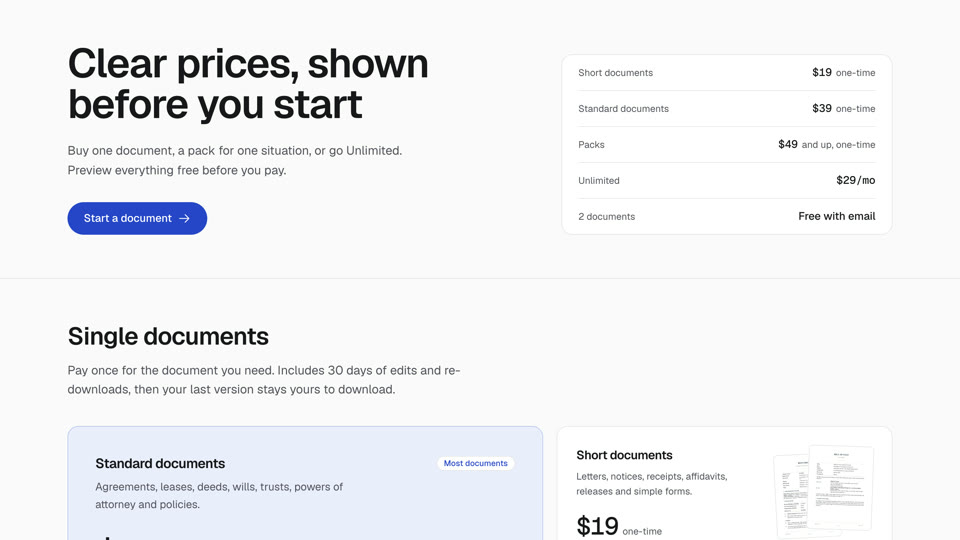
Answering the questions and previewing a draft is free. To download the final PDF you either buy that document once, buy a pack, or subscribe to Unlimited. Our last will and residential lease are free once you confirm your email. Each document page shows its price, and our pricing page explains what is included.
Watch the 54-second videoWill I be charged again later?
Not for a single document or a pack: those are one-time payments that include 30 days to edit your answers and download again. Unlimited is a subscription that renews automatically at $29 a month or $129 a year until you cancel. We email you before every renewal, and you can cancel in two clicks from My documents.
Watch the 47-second videoHow do I cancel Unlimited?
Open My documents and select Cancel subscription, then Yes, cancel. You keep access until the end of the period you paid for and are not charged again.
Watch the 50-second videoCan I get a refund?
Yes. Request a refund from My documents within 30 days of a payment. A refund ends access to that document, pack or plan.
Watch the 47-second videoHow do I delete my saved answers?
Open My documents and select Delete next to any draft. This removes the answers from your browser. To delete documents saved to your account, email support.
Watch the 41-second videoStill need a hand?
Email support@oakclause.com. We usually reply within one business day.
Need legal advice?
We cannot advise on your situation, but we can help you find an independent attorney.